

Automation
Make network changes once. Apply them everywhere.
Create and schedule configuration jobs across multiple devices, instead of configuring devices one at a time.
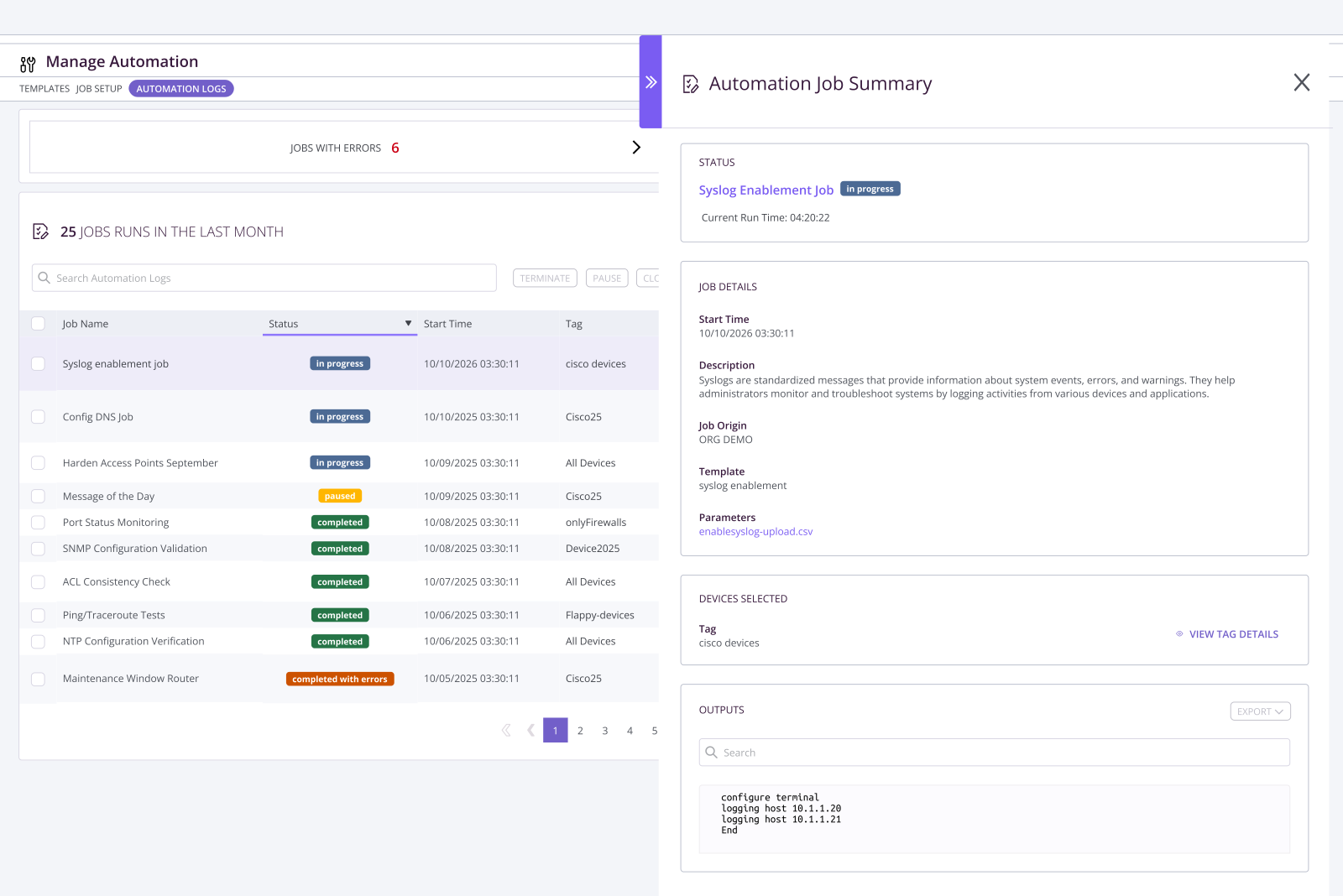
Stop making the same network change over and over
Need to update a firewall rule, change a password, or make another configuration change across multiple devices? Define the change once and run it as a single job across the devices that need it, instead of logging into each one individually.
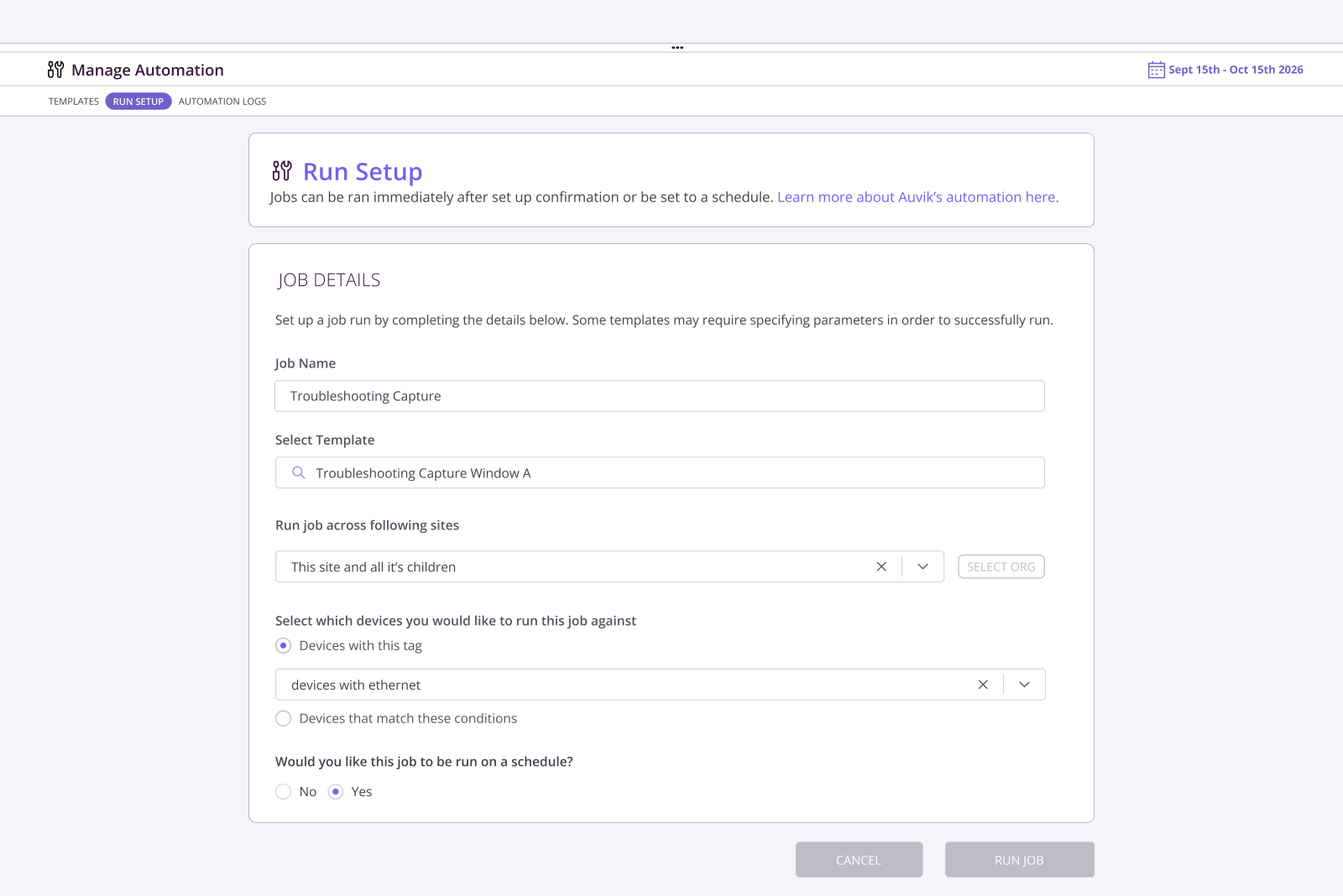
Run configuration changes across multiple devices
Create a job, select the devices you want to change, and define the CLI commands to run across them, instead of repeating the same configuration task device by device.
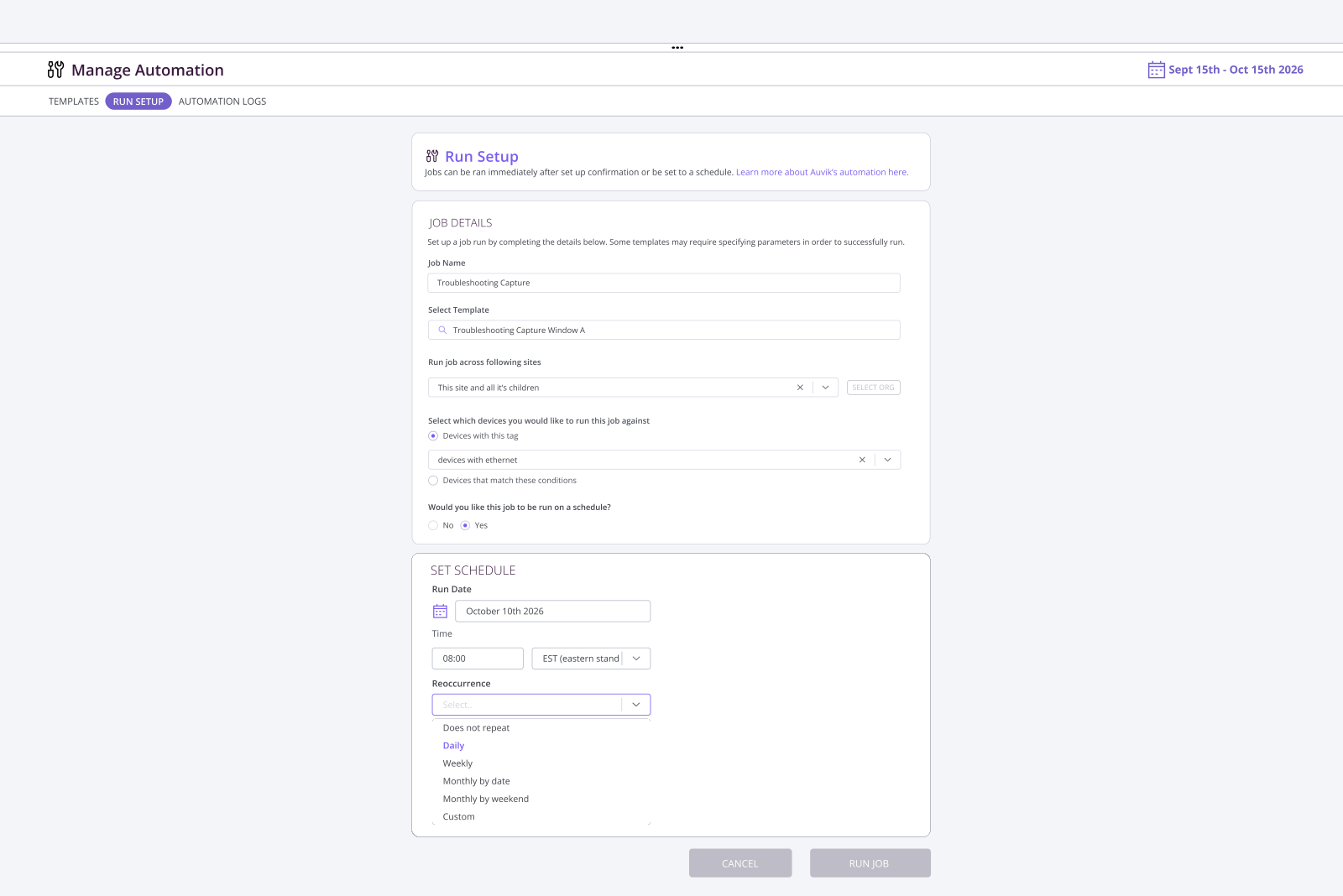
Schedule changes for the right time
Run jobs immediately or schedule them for later, including recurring jobs. Plan configuration changes for maintenance windows or off-hours, when they’re less likely to impact people using the network.
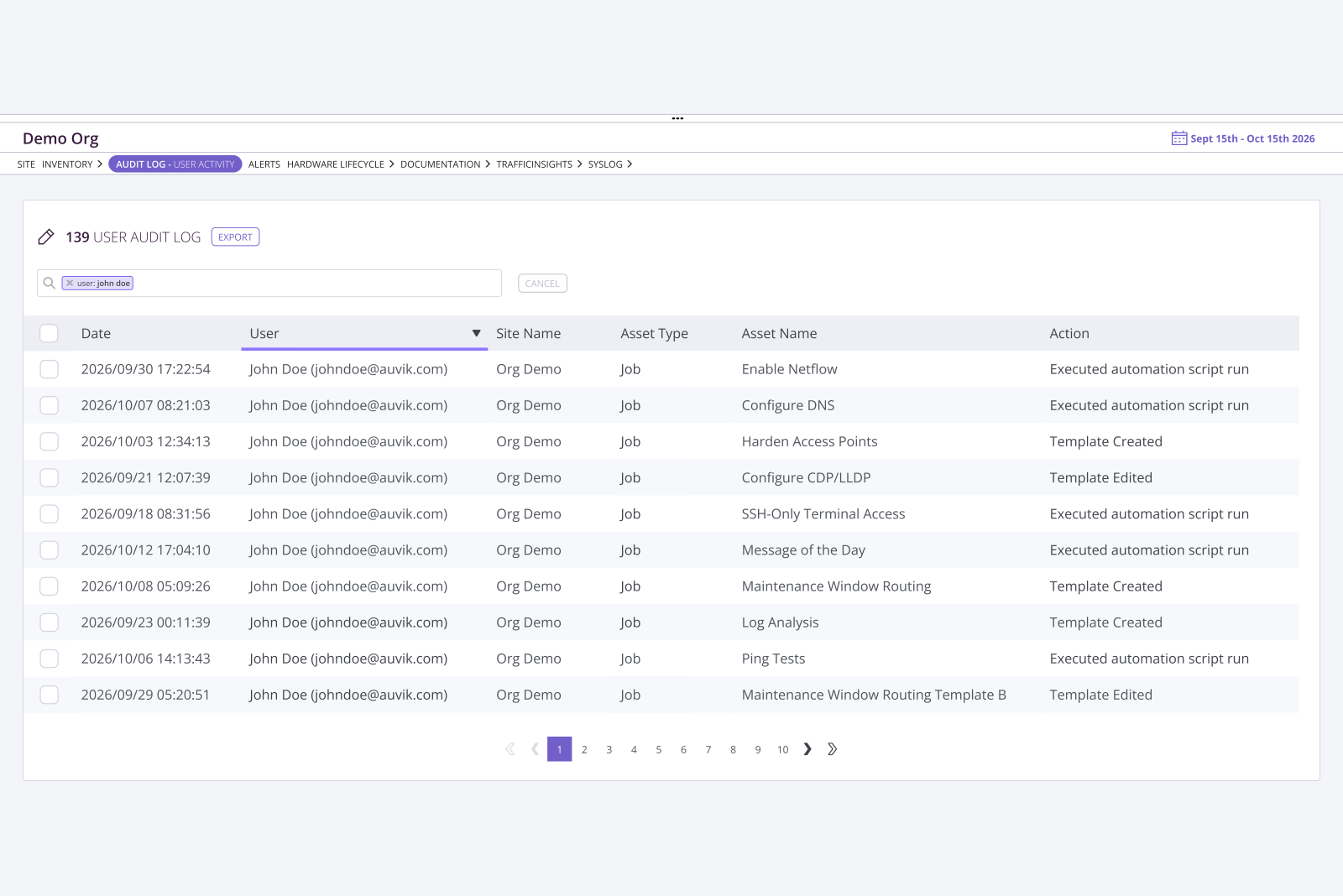
Keep an audit trail of every automation job
See who ran each job, when it ran, and whether it succeeded or failed, giving you a record to reference when you need to retrace your steps.
Real reviews from real IT Teams
Loved by customers in independent reviews


Make network changes at scale without the repetitive work
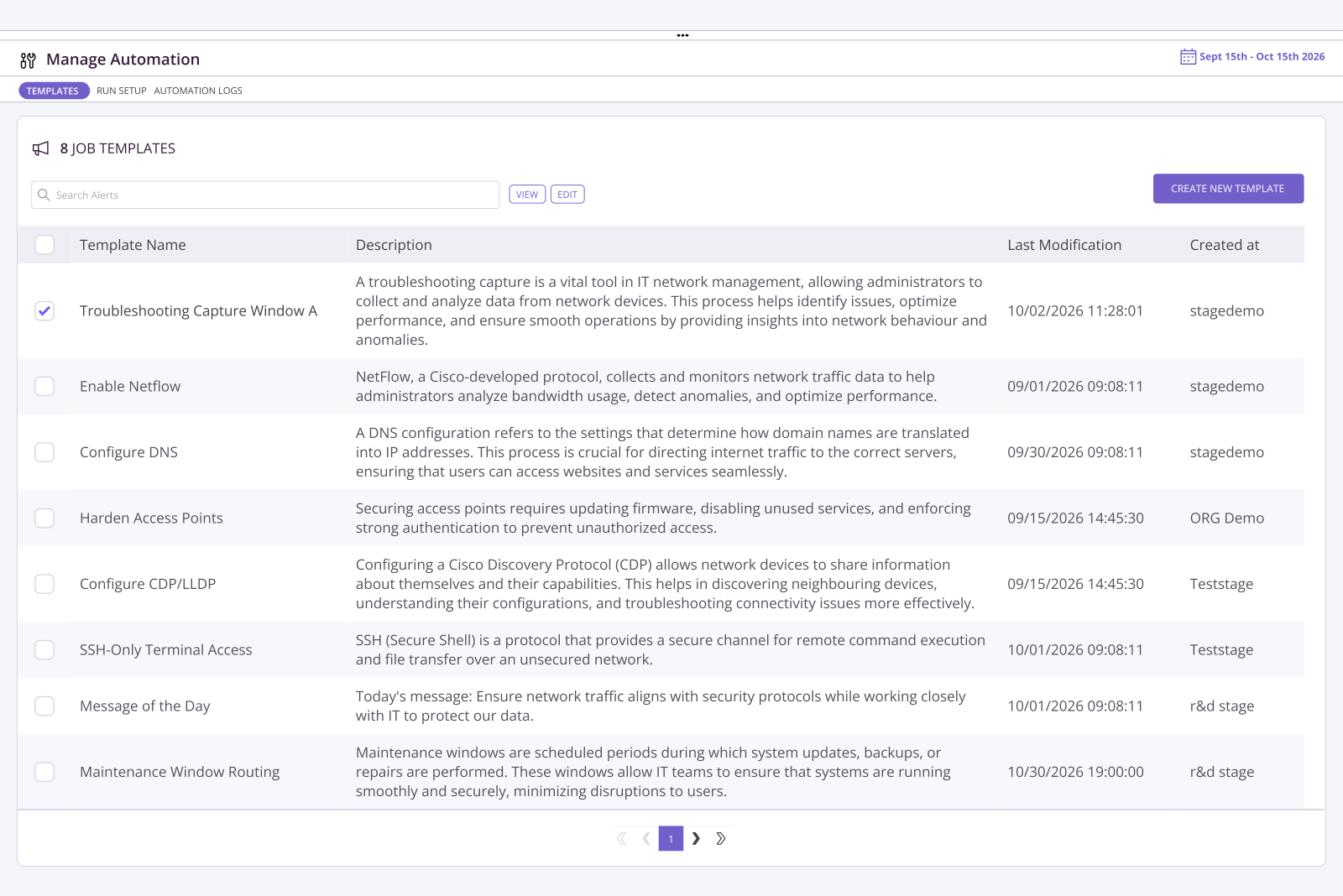
Stop making network changes one device at a time
Stop logging into devices individually to make the same change. Define the task once and run it across the devices that need it, saving time as your network grows.
Make configuration changes across sites
Roll out configuration changes across devices and sites without repeating the same work over and over.
Run network changes when they’re least disruptive
Schedule changes for off-hours or planned maintenance windows, when they’re less likely to impact people using the network.
Know exactly what happened
See who ran each job, when it ran, and whether it succeeded or failed, so you don’t have to rely on memory when investigating a problem.
Check out our latest automation resources
Automation FAQs
What can I automate with Auvik automation?
Automation is designed for network configuration changes that can be performed using CLI commands. You can create a job, select the devices it should run against, and execute the configuration change across those devices.
Can I run automation jobs across multiple devices?
Yes. Automation is built for one-to-many configuration management, allowing the same job to run against multiple selected devices instead of configuring each device individually.
Can I schedule automation jobs?
Yes. Jobs can run immediately, at a scheduled time, or on a recurring frequency.
Can I see whether an automation job succeeded or failed?
Yes. Automation maintains an audit trail of jobs that have run, including information such as the user, timestamp, and job outcome.
Can Automation patch devices?
No. The current release is focused on configuration changes that can be performed through CLI commands. It does not patch devices.
Can Automation help remediate a known CVE?
It can when remediation requires a configuration change that can be made through CLI commands. If remediation requires patching the device, Automation does not currently patch devices.